
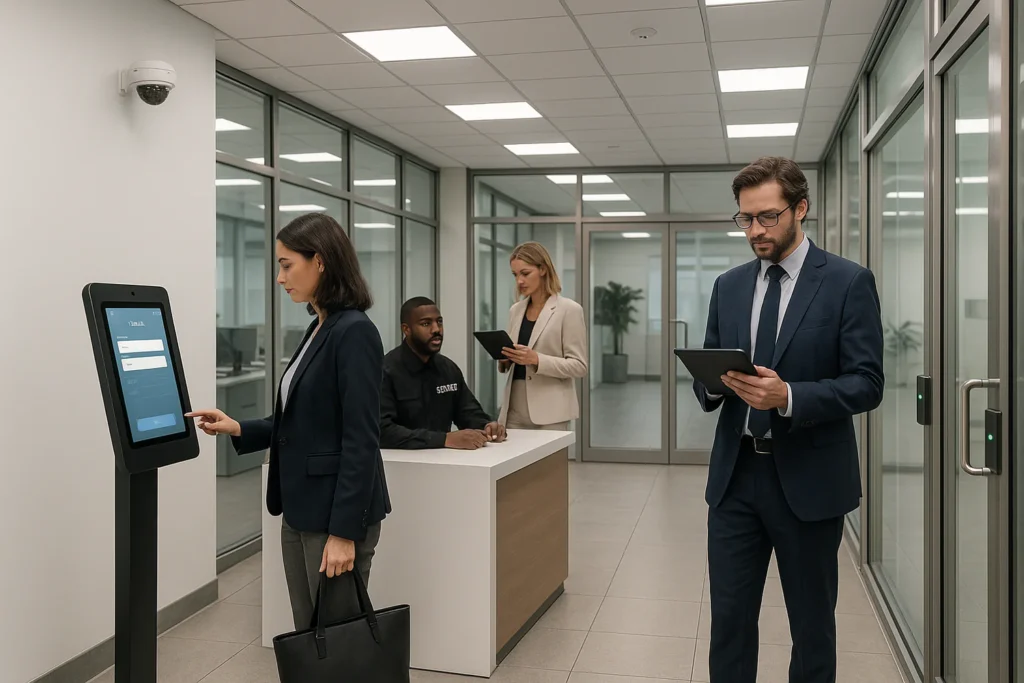
Signing a guest book and sticking a flimsy badge on a lapel no longer cuts it when you’re responsible for a modern workplace. A visitor management system (VMS) replaces paper logbooks with a secure, cloud-based check-in process that knows exactly who is on site, alerts hosts in seconds and keeps compliance officers happy. But which products can you trust to welcome guests smoothly, tighten security and automate front-desk admin without costing a fortune? We’ve put dozens of platforms through their paces to find out. footfall counter – traffic counter occupancy sensor-retail analytics- crowd counter visitor management-realtime data
Each contender below was tested hands-on, scored against feature depth, support quality, reputation and value for money. We zeroed in on essentials such as touch-free QR sign-in, instant badge printing, host notifications, health screening, watch-list checks, evacuation reports, access-control hooks and data-retention controls. The result is a shortlist of twenty visitor management systems that suit offices, factories, campuses and everything in between. Let’s see how they compare so you can pick the one that fits your workplace best. A final tip: keep a keen eye on integration costs before you commit. https://smarturbansensing.co.uk/contact-us/
1. Envoy Visitor Management https://smarturbansensing.co.uk/about-us/
Envoy kicked off the iPad check-in movement and still leads the pack, processing millions of arrivals every month. The polished interface feels more “Apple Store” than “security desk”, yet it slips neatly into complex corporate environments that demand tight controls, detailed audit trails and seamless integrations with the wider tech stack of modern visitor management systems.
Quick overview & standout features
- Contact-free QR or mobile app sign-in
- Auto-capture visitor photo plus instant badge printing
- Custom health & safety or NDA questionnaires with e-signature
- Real-time host alerts via Slack, Microsoft Teams, email or SMS
Best for & key differentiators
Ideal for:
- Tech-forward offices and hybrid workplaces want desk booking and visitor flows on the same platform
- Enterprises needing a vast marketplace of 300+ native integrations and open APIs
Key differentiators: consumer-grade UI, lightning-fast multi-location roll-out and admin dashboards that surface live occupancy across buildings.
Pros, cons & limitations
Pros
- Intuitive interface keeps reception queues moving
- Huge integration ecosystem (Okta, LenelS2, Brivo, Azure AD, Google Workspace)
- Centralised control centre for global estates
Cons - Per-location pricing can rise quickly for companies with many small sites
- Heavy reliance on iPads; Android and Windows kiosks are not supported
- Some advanced analytics are packaged only in higher-tier plans
Pricing, deployment & integrations
A free Starter tier covers basic sign-ins and notifications. Paid plans move to quote-based pricing, typically from ~£85 per location/month, adding watch-list screening, data retention rules and analytics. Deployment is true SaaS—simply download the iPad app and pair it with a Brother badge printer. Popular plug-ins include:
- Access control: LenelS2, HID, Kisi
- Workplace tools: Slack, Teams, Zoom Rooms
- Identity & SSO: Okta, Azure AD, OneLogin
Security & compliance factors
Envoy holds SOC 2 Type II certification, encrypts data in transit and at rest, and offers GDPR-ready data flows with configurable purge schedules. Optional watch-list screening and evacuation reports help safety teams meet ISO-27001 and internal audit requirements. https://smarturbansensing.co.uk/contact-us/
2. SwipedOn
SwipedOn proves you don’t need an enterprise-level budget to replace grubby sign-in books with a slick digital flow. Born in New Zealand, the cloud app now powers more than 9,000 front desks worldwide, giving companies the essentials of modern visitor management systems plus thoughtful extras such as parcel logging and an employee in/out board.
Quick overview & standout features
Running on iPad or Android tablets, SwipedOn offers contactless QR-code check-in so guests can use their own phone. The kiosk snaps a photo, prints a badge via Brother or Zebra printers, and pings hosts through SMS, email, Slack or Microsoft Teams. A dedicated courier mode lets reception staff scan parcels and automatically notify recipients, cutting interruptions at the desk.
Ideal use cases
Transparent pricing and a 60-second set-up make SwipedOn a strong fit for SMEs, co-working hubs and hospitality venues that want an approachable, “plug-and-play” sign-in experience rather than a complex IT project.
Strengths & potential drawbacks
Strengths
- Offline mode keeps check-ins running during internet outages
- Unlimited visitors on every tier
- Carbon offset programme plants a tree for each new subscription
Drawbacks
- Analytics is limited to basic charts and exports
- Integrations beyond Outlook and Google Workspace require the higher-priced Enterprise plan
Pricing snapshot & plans
Pricing starts at £25 per location per month (billed annually) for the Core plan, covering unlimited visitors, parcel tracking and two admin seats. Optional add-ons include an ID/QR scanner module (£10), catering requests and SSO, with bulk discounts for multi-site roll-outs.
Compliance & data protection
Visitor data is stored on EU servers and encrypted in transit (TLS 1.2) and at rest (AES-256). Admins can set automatic data-purge schedules to meet GDPR or HIPAA retention rules, while NDAs, health questionnaires and digital consent capture keep audit trails watertight. https://cyooda.com/blog/the-ultimate-top-100-cyber-security-blogs-in-the-world
3. Sign In App
When a receptionist wants something that “just works” yet still ticks every compliance box, Sign In App is usually on the shortlist. The UK-built platform bundles visitor, staff and contractor flows into one neat dashboard that can run on iPad, Android tablet or a dedicated Windows kiosk. Unlike many visitor management systems, it also offers an optional self-hosted data centre instance for organisations that can’t push data to the public cloud.
Product highlights & flagship features
- Contactless QR sign-in from any smartphone
- Custom health questionnaires, NDAs and photo capture with badge printing
- Real-time evacuation roll-call accessible on mobile during a fire drill
- Desk booking, meeting-room reservations and capacity limits for hybrid teams
- Multi-language interface with automatic timezone and daylight-saving updates
Who it serves best
Schools, academies and UK/EU businesses that need on-premises or region-locked hosting, lightning-fast muster lists and tight integrations with MIS or access-control hardware will feel at home. The flat annual licence makes budgeting straightforward for facilities managers.
Pros, cons & limited features
Pros
- NFC sign-ins for staff using existing access cards
- Drag-and-drop badge designer and unlimited notification rules (email, SMS, Slack)
- Audit-ready fire drill reports are exportable in one click
Cons
- Web dashboard is the only place to build advanced reports—no native BI connectors
- The user interface on the kiosk hasn’t seen a major visual refresh in a while
Pricing & integrations
One annual licence per site (£395, discounts for education) covers unlimited visitors, devices and hosts. Premium add-ons such as contactless temperature scanners are available. Native integrations include Azure AD, Paxton Net2, Slack, Google Workspace and SAML 2.0 SSO.
Security & privacy notes
Sign In App is ISO 27001-certified, encrypts data in transit and at rest, and keeps production servers in UK data centres by default. Granular GDPR controls let admins purge or anonymise visitor details automatically after a set retention period, keeping auditors satisfied without manual work.https://bloggers.feedspot.com/workplace_safety_blogs/
4. InVentry
If your front desk juggles visitors, permanent staff, contractors and—uniquely—pupils, InVentry is worth a close look. The Leeds-based vendor couples a polished Windows kiosk with powerful back-office software that plugs straight into school MIS databases and corporate access-control panels, giving safeguarding officers and facilities managers a single source of truth.
Overview & standout functionality
- All-in-one sign-in for visitors, staff, contractors and students
- Direct sync with SIMS, Arbor, Bromcom and other MIS platforms
- Integrated ID card and badge printing from the same console
- DBS status tracking and automatic renewal reminders
- Real-time evacuation lists accessible on any mobile device
Market fit & differentiators
InVentry dominates the UK education sector, especially multi-academy trusts that need a consistent sign-in policy across dozens of campuses. For corporates, the same platform delivers granular contractor management and reception-desk hardware pre-configured out of the box—ideal when IT resources are thin.
Key advantages & disadvantages
Advantages
- Deep MIS integration eliminates manual pupil registers
- Safeguarding modules satisfy Ofsted and KCSIE checks
- Multi-site dashboard with central reporting and role-based permissions
Disadvantages
- Kiosk software is Windows-only; no native iPad or Android app
- Proprietary hardware bundle increases upfront spend compared with SaaS-only rivals
Commercial model
Licensing is perpetual: you buy the software once and add an annual support contract for updates, phone support and cloud backups. Typical hardware kits—22″ touchscreen, Brother printer, badge consumables—start around £1,200 per reception desk.
Security & regulatory compliance
InVentry holds Cyber Essentials Plus certification and offers UK data residency for all cloud services. Role-based access controls, encrypted SQL databases and immutable audit logs make GDPR compliance straightforward, while built-in evacuation reports and DBS monitoring keep inspectors satisfied.
5. Lobbytrack
When Wi-Fi is flaky or the IT team insists on an air-gapped network, cloud-only visitor management systems are a non-starter. Lobbytrack fills that gap with the rare ability to run entirely on-premise or in the cloud, while still offering the essentials of modern check-in—from pre-registration links to real-time watch-list screening. The interface is more functional than flashy, yet reception teams pick it up quickly and the learning curve for administrators is gentle.
Essential features summary
- Web portal for hosts to pre-register guests and email QR passes
- Windows or Android kiosk app with driver’s licence/ID scanning
- Instant badge printing and return-visitor “express” check-in
- Built-in watch-list screening against internal or third-party lists
- Live visitor dashboard showing who is expected, signed in or overdue
Best for
Government offices, manufacturing plants and remote facilities where bandwidth is limited or security policy demands an on-prem deployment. Multi-tenant buildings also benefit from unlimited host accounts and the option to skip kiosk hardware entirely by letting guests sign in from their phone.
Pros & cons
Pros
- Operates offline and syncs when connectivity returns
- Unlimited employee/host accounts at no extra cost
- Affordable watch-list add-on compared to larger rivals
Cons
- User interface feels dated next to slicker SaaS competitors
- Integration catalogue is short—mainly Outlook, Google Calendar and LDAP
- No native iPad support (Windows and Android only)
Cost & deployment notes
Lobbytrack’s SaaS subscription starts at roughly £45 per site per month, including unlimited visitors and basic reports. A perpetual on-prem licence is available for a one-time fee plus optional support. Kiosks can be standard Windows PCs or rugged Android tablets paired with any Brother label printer.
Security checklist
Data is encrypted at rest (AES-256) and in transit (TLS 1.2). Admin log-ins support optional two-factor authentication, while granular purge rules let you auto-delete or anonymise visitor records to meet GDPR retention policies. Audit trails capture every change for compliance teams.
6. Proxyclick by Eptura
Proxyclick – recently folded into the Eptura workplace-experience suite – is the heavyweight choice when visitor flows must dovetail with strict security policies and global compliance frameworks. While many visitor management systems focus on basic reception duties, Proxyclick stretches further, linking pre-registration to physical access control so guests move seamlessly from the car park barrier to the lift without queuing for a badge. Single-tenant hosting options, granular data-retention rules and rich workflow tooling make it a favourite of Fortune 500 real-estate, finance and pharma teams.
Standout capabilities
- Mobile invite with ZeroTouch™ access: pre-screen, verify ID and issue a QR code or mobile key before arrival
- Real-time dashboards showing occupancy, expected guests and policy breaches
- Custom document signing (NDAs, health declarations) with e-signature and version control
- Self-service kiosks plus fast-lane turnstiles using dynamic QR or RFID credentials
Ideal environment
Multinational corporations that juggle multiple time zones, languages and security layers. Proxyclick’s SSO, SCIM provisioning and 300+ integrations (Lenel, Genetec, SAP SuccessFactors, Okta) slide neatly into mature IT ecosystems.
Advantages & gaps
Advantages
- Workflow editor lets admins create conditional logic without code
- Private cloud or on-prem deploy for high-security sites
- Multi-site analytics roll up into a single executive dashboard
Gaps
- Premium pricing vs mid-market tools
- Initial configuration can feel daunting without IT support
Pricing overview
SaaS plans start at about £70 per location per month for Core features. Enterprise contracts add private cloud, 99.9 % SLA and dedicated CSM; hardware sold separately.
Compliance & data governance
Proxyclick is certified to SOC 2 Type II, ISO 27001 and GDPR. Admins can set automatic data-purge, anonymisation or export schedules per location, while audit logs capture every edit for SOX or PCI reviews. https://visit-us.com/best-visitor-management-software/
7. Honeywell Forge | Sine
Folded into Honeywell’s Forge suite in 2023, Sine keeps its mobile-first DNA but now rides on top of Honeywell’s enterprise security and building-automation stack. The software lets visitors, contractors and staff check in on their own smartphone, have a badge printed automatically at the kiosk and appear on a live evacuation list—all without a receptionist touching a keyboard. Because Forge already talks to access-control panels, HVAC and CCTV, security teams can weave visitor data into wider building-performance dashboards with hardly any custom code.
Key features at a glance
- Geofenced “tap to check-in” via iOS and Android apps
- Contractor compliance: licence upload, COVID-19 or H&S questionnaires, induction videos
- Instant badge printing and QR re-entry for repeat visitors
- Live muster view with head-count, location and contact details
- RESTful API plus webhooks for automated host notifications and data export
Who benefits most
Industrial plants, hospitals, airports and large corporate campuses that juggle high visitor volumes, strict contractor accreditation and the need for deep integration with existing Honeywell or BACnet building systems.
Pros, cons & considerations
Pros
- Hardware-agnostic: runs on iPad, Android, Windows or no kiosk at all
- Robust developer API and SCIM provisioning
- Offline mode for remote sites
Cons
- Custom report builder is limited to the Essentials tier
- Pricing is only available via quotation, making budget comparisons tricky
Budget & deployment
Licensing is modular: pay only for the visitor, contractor, delivery or workplace modules you enable. Deployment is cloud SaaS with an on-prem “Sine Bridge” agent for closed networks; most sites go live in under a day.
Security posture
- ISO 27001 and SOC 2 Type II certifications
- Regional AWS data centres with optional EU or UK residency
- Audit logging, SSO (SAML 2.0/OIDC) and configurable data-retention rules keep GDPR officers happy
8. iLobby FacilityOS
Few visitor management systems go beyond badge printing and dabble in true physical-security automation; iLobby FacilityOS is one of them. The platform combines rugged kiosk hardware with an orchestration layer that can push or pull data from access-control panels, fire alarms and even Wi-Fi controllers, giving security teams a single pane of glass for everything that moves through the lobby.
Feature overview
- High-precision kiosk with fingerprint reader, barcode and government-ID scanning
- “Smart Rules” engine triggers actions (e.g. deny entry, notify guard, open turnstile) in real time
- Multi-tenant mode lets building managers brand flows per tenant while sharing infrastructure
- Emergency mustering app shows live headcount and last known location during evacuations
Use-case sweet spots
FacilityOS shines in data centres, defence contractors and corporate campuses that need biometric verification, strict watch-list checks and instant access provisioning without juggling multiple dashboards.
Strengths & weaknesses
Strengths
- Deep hardware integrations (Genetec, C•CURE, Honeywell) out of the box
- Visitor Wi-Fi credentials are issued automatically, cutting help-desk tickets
- Granular role permissions keep security and reception duties separated
Weaknesses
- Higher kiosk cost than tablet-only rivals
- Rich feature set can feel complex for casual administrators
Pricing & integrations
iLobby works on a custom-quote basis; expect software licences plus hardware bundles starting around £2,000 per desk. Open REST API and pre-built connectors link to HR, ERP and access-control systems, reducing bespoke development.
Governance & risk management
Data is encrypted at rest with AES-256 and in transit via TLS 1.2. FacilityOS supports ITAR and CTPAT compliance, offers UK/EU data residency and keeps immutable audit logs for up to ten years—ideal for industries where a missing record is not an option.
9. Traction Guest
Traction Guest made its name by letting security teams drag-and-drop complex sign-in workflows without writing a line of code. Since being snapped up by Salesforce, the platform now pipes rich visitor data straight into CRM and analytics dashboards, giving enterprises real-time visibility of every person on site and why they are there.
System capabilities
- Highly configurable workflows: branch logic based on visitor type, answers, temperature, vaccination status or watch-list match
- Contactless check-in via QR, mobile pre-registration or kiosk
- Contractor orientation: mandate video inductions and policy quizzes before a badge prints
- Dashboards show live capacity, overdue guests and compliance exceptions across all locations
- Native Salesforce connector for automatic lead creation and follow-up journeys
Best for
Large enterprises that treat the lobby as part of a broader customer or contractor journey and want visitor data living inside their Salesforce, BI or ERP stack. Pharma, finance and tech firms with multi-site estates find the single interface particularly valuable.
Pros & cons
Pros
- Unlimited workflows and destinations (Slack, Teams, Zapier, Snowflake)
- Multi-language support, including RTL scripts
- “Insights” module surfaces trends across buildings and time zones
Cons
- Premium-only pricing; no SMB-friendly tier
- Deep configuration options demand onboarding time and internal champions
Costing & tech stack
Annual SaaS contracts are quote-based, with price driven by the number of locations and workflow modules. Runs on AWS with regional data residency options and an open REST API for custom integrations.
Security certifications
SOC 2 Type II, ISO 27001 and GDPR compliance baked in. Data is encrypted in transit (TLS 1.2) and at rest (AES-256), with optional private cloud or dedicated VPC for high-regulation industries. Role-based permissions, SSO (SAML 2.0/OIDC) and immutable audit logs round out the enterprise security posture.
10. Pitney Bowes Smart Access Management
The mailing titan’s foray into visitor management systems pairs the company’s rugged kiosk hardware with a tightly controlled SaaS back-end. Smart Access Management (SAM) is aimed at busy reception areas where visitors, parcels and contractors arrive in the same five-minute window and must all be processed without creating a bottleneck.
Features & functionality
- All-in-one kiosk with 10-inch touchscreen, barcode/ID scanner and Brother or Zebra badge printer
- Digital sign-in for visitors, contractors and employees with optional QR pre-registration
- Real-time parcel tracking: log courier deliveries, print recipient labels and trigger automatic collection reminders
- Customisable visit flows that embed NDAs, safety videos or health questionnaires before a badge prints
- Live dashboard showing who is expected, signed in or overdue across multiple entrances
Target sectors
SAM resonates with corporate mailrooms, manufacturing plants and public-sector buildings that already rely on Pitney Bowes mail or parcel solutions and want an integrated lobby workflow rather than a separate point product.
Upsides & downsides
Upsides
- Trusted enterprise brand with UK-wide field service and next-day consumables
- Hardware designed for high-traffic environments, including antimicrobial screen coating
- Parcel and visitor data live in the same portal, cutting out double-handling
Downsides
- Fewer UI customisation options than software-only rivals
- Price per kiosk is higher once hardware leasing fees are included
Pricing details
Hardware bundles start around £1,500, including kiosk, badge printer and first-year warranty. The cloud licence is charged per kiosk per year (from £55/month on a three-year term), with add-ons for SAML SSO, watch-list screening and multi-site analytics.
Security & standards
Pitney Bowes hosts SAM in ISO 27001-certified UK data centres, encrypting data at rest (AES-256) and in transit. GDPR features include configurable retention rules, visitor consent capture and anonymisation on expiry, while printed badges store only minimum data to prevent shoulder-surfing.https://peoplemanagingpeople.com/tools/best-visitor-management-software/
11. ProVisit
If you need to swap paper log books for something slick yet don’t fancy weeks of IT wrangling, ProVisit is worth a spin. The UK-hosted platform focuses on rapid deployment: spin up an account, print a QR poster, and you have a modern lobby in under an hour. While lighter than enterprise-grade visitor management systems, it packs enough punch for most mid-sized workplaces.
Product overview
- Cloud dashboard plus iPad or Android kiosk app
- Contactless QR pre-registration, photo capture and instant badge printing
- Real-time dashboard showing expected, signed-in and overdue guests
- SMS and email host notifications with one-tap visitor messaging
Best suited for
Mid-sized UK offices, studios and regional branches that value local support, straightforward pricing and don’t need deep access-control hooks or complex contractor workflows.
Strengths & limitations
Strengths
- Setup takes minutes with no professional services required
- Clean, modern UI keeps reception queues short
- Free 14-day trial (no credit card) lets teams test risk-free
Limitations
- Integrations are limited to Outlook and Google Calendar
- No native parcel logging or watch-list screening yet
Pricing model
One transparent plan: £39 per site per month (billed annually) covering unlimited visitors, hosts and kiosks. Optional SMS bundles are available for high-volume sites; hardware can be self-sourced or leased through ProVisit partners.
Compliance notes
Visitor data is stored on UK/EU servers and encrypted in transit (TLS 1.2) and at rest (AES-256). Digital consent boxes capture GDPR acknowledgement on arrival, and admins can schedule automatic data deletion after a set number of days to stay audit-ready without manual exports.
12. VisitUs Reception
VisitUs Reception sits in that handy middle ground between bare-bones visitor books and heavyweight enterprise suites. The cloud-based platform focuses on branded, contact-free arrivals that feel more “concierge” than “clipboard”. Reception teams design their own flows in minutes, drop an iPad on the counter and leave the system to welcome guests, print QR badges and guide them straight to the right desk – all while keeping a live head count for safety officers.
Core features
- Touchless sign-in via QR or NFC
- Instant NDA or health questionnaire capture with digital signature
- Way-finding screen that maps the route to the host’s workstation or meeting room
- Auto-take visitor photo and print QR badge for fast re-entry
- Real-time dashboard plus scheduled arrival emails for hosts
Primary use cases
Multi-tenant offices, serviced business centres and co-working spaces that need each tenant’s branding on the kiosk but want to share a single back-end. Facilities managers can tweak colours, logos and questions per tenant without calling IT.
Pros & cons
Pros
- Live evacuation mode accessible on any mobile device
- Granular user roles: reception, security, tenant admin
- Native alerts to Slack and Microsoft Teams keep hosts in the loop
Cons
- SAML SSO restricted to the Enterprise add-on
- Reporting limited to CSV exports; no built-in BI widgets
Pricing
A flat £25 per site per month covers unlimited visitors and hosts. Optional marketing-ROI and occupancy-insight modules are billed separately.
Security
Visitor data sits in the AWS UK region, encrypted in transit (TLS 1.2) and at rest (AES-256). Nightly encrypted backups and adjustable data-retention rules help organisations stay GDPR-compliant without manual intervention.
13. Vizitor
Vizitor is a lightweight, tablet-based check-in tool that gives small workplaces the essentials of digital reception without an enterprise-grade price tag. The cloud dashboard, Android /iPad kiosk and companion mobile app combine to speed up guest arrival, keep a real-time head-count and eliminate grubby paper logs—perfect when the IT budget is tight but security rules still matter.
Solution snapshot
- Contactless QR and OTP sign-in from any smartphone
- Customisable health screening and GDPR consent tick-box
- Multi-lingual interface (15+ languages) switchable per kiosk
- Delivery management: scan parcels, alert recipients and record pickup time
Ideal customers
Vizitor suits start-ups, dental clinics, gyms and co-working hubs that need a friendly visitor flow, basic reporting and zero-touch deployment. A browser-based admin panel means there’s no server to maintain, so a single facilities manager can run multiple entrances.
Advantages & disadvantages
Advantages
- Forever-free tier allows up to 100 check-ins a month—handy for micro-offices
- Native Google Workspace integration auto-creates calendar events and host alerts
- Simple UI: reception staff are productive in minutes
Disadvantages
- Badge printing and branding options locked behind paid plans
- Screen customisation limited to logo, colours and two extra fields
Cost & integrations
Three paid tiers range from £12 to £69 per month, unlocking unlimited visits, badge printing and advanced analytics. Webhooks, Zapier, Slack and Microsoft Teams connectors are included on the Business plan and above.
Security & privacy
All traffic is protected with TLS 1.2, and data sits on EU-based AWS servers. A mandatory GDPR checkbox captures visitor consent, while admins can auto-purge records after a chosen retention period—keeping the auditor off your back without manual exports.
14. Greetly
Greetly pitches itself as the “world’s most customisable” visitor management system and, to be fair, the claim isn’t far off. Admins can rename every field, translate prompts into 30-plus languages and even swap the welcome screen voice. Whether you’re running a minimalist tech hub or a heritage museum, the kiosk can be tweaked to match brand guidelines right down to Pantone codes. Behind the eye-candy sits a solid workflow engine that captures signatures, triggers voice or video calls to hosts and syncs visitor data with common workplace apps.
Highlight features
- Drag-and-drop workflow editor with unlimited visitor types
- Digital signature capture for NDAs, photo release forms and H&S briefings
- Voice or video call from kiosk direct to host’s mobile or desktop
- Optional thermal scanner and wellness questionnaire plug-ins
- Cloud or on-prem deployment and open REST API
Suitable for
Organisations that treat branding as non-negotiable and want a white-label reception experience—marketing agencies, design studios and member-based clubs are typical adopters.
Pros & cons
Pros
- Unlimited check-ins on every plan
- Robust API supports custom integrations and data pushes to BI tools
- 30+ language packs, including right-to-left scripts
Cons
- Interface design feels dated compared with newer SaaS rivals
- Live support operates on US hours, so UK users rely on email after 5 pm
Pricing
Plans start at $119 (~£95) per location per month with discounts for annual payment. Thermal scanner, SAML SSO and on-prem hosting incur additional fees.
Security
Greetly is SOC 2 Type II certified, hosts data on AWS and encrypts records in transit (TLS 1.2) and at rest (AES-256). Admins can set automated data-retention schedules to stay GDPR-compliant.
15. The Receptionist for iPad
Front-desk staff rave about The Receptionist for iPad because it manages to feel both familiar and refreshingly slick: guests tap a bright, cartoon-style interface, grab a badge from the Brother printer and glide straight to their meeting. The US-built app has been around since 2013, so almost every teething issue you can imagine has already been ironed out—a welcome reassurance when other visitor management systems are still finding their feet.
System at a glance
- Drag-and-drop workflow builder with unlimited visitor types
- Two-way SMS or email communication between host and guest
- Instant badge printing and optional photo capture
- Delivery and food-order buttons that alert recipients automatically
- Offline mode keeps the kiosk working during Wi-Fi hiccups
Target users
Small to mid-sized offices, studios and clinics that run on Apple hardware and value a fun, friendly guest journey without piles of technical configuration.
Benefits & trade-offs
Benefits
- Renowned customer support—average response time under five minutes
- Unlimited check-ins and hosts on all tiers
- Kiosk can fall back to paper sign-in automatically during an internet outage
Trade-offs
- iOS-only kiosk means Windows and Android tablets are off the table
- Limited contractor qualification checks compared with enterprise suites
Price overview
Three SaaS plans range from $49 to $149 per month. All include unlimited visitors, workflows and basic SMS credits; higher tiers unlock advanced branding, NDA version control and extra SMS bundles. Discounts apply for annual subscriptions and multi-location roll-outs.
Security focus
The platform is GDPR-compliant and carries SOC 2 Type I attestation. Data is encrypted in transit (TLS 1.2) and at rest (AES-256), with daily redundant backups. Admins can set automatic data-purge schedules to keep records only as long as policy requires.
16. ALICE Receptionist
ALICE (A Live Interactive Customer Experience) blends a self-service kiosk with live video so guests can speak to an off-site receptionist in seconds. Unlike many tablet-only visitor management systems, the unit ships as a floor-standing or desktop terminal with integrated HD camera, microphone and badge printer—giving visitors human interaction without the wage bill of a permanent front-desk employee.
Key capabilities
- One-touch video call to remote reception or security desk
- On-screen staff directory with searchable photos and departments
- Automated badge printing and lobby notifications
- Multi-language welcome screens and voice prompts
- Optional temperature reader and ID scanner modules
Best for
Buildings that want a friendly face but can’t justify full-time reception staff—think satellite offices, manufacturing lobbies and government annexes with sporadic footfall.
Pros / cons
Pros
- Real person greets visitors, improving service quality
- Directory updates sync from Active Directory or CSV
- Supports both attended and unattended modes
Cons
- Requires proprietary kiosk hardware, boosting upfront cost
- Limited analytics compared with cloud-first rivals
Pricing & hardware
Hardware bundles start around £4,000 for a 21″ kiosk, HD camera, microphone and Brother badge printer. Software licences run from roughly £85 per month, with discounts for multi-year terms and fleet management.
Security measures
Traffic is encrypted end-to-end (TLS 1.2), and an on-prem install option keeps video streams inside the corporate network. Role-based access, audit logs and automatic data deletion settings help organisations tick ISO 27001 and GDPR boxes with minimal fuss.
17. HID SAFE Enterprise
HID Global’s SAFE Enterprise sits at the intersection of visitor management systems and full-blown Physical Identity & Access Management (PIAM). Rather than treating guests as a one-off workflow, SAFE maps every person’s access credentials from the moment they are invited through to badge deactivation, ensuring security policy is uniform across buildings, turnstiles and back-office applications.
Feature summary
- Centralised identity repository for employees, contractors and visitors
- Browser-based pre-registration and mobile QR passes
- Automated badge provisioning, activation and revocation across 30+ access-control brands
- Real-time occupancy and compliance dashboards with drill-down reporting
- Policy engine to enforce training, background checks and watch-list screening before access is granted
Ideal fit
Large enterprises, airports and critical-infrastructure operators juggling tens of thousands of identities and multiple security domains. SAFE excels when the lobby must mesh seamlessly with existing PACS, HR and compliance systems.
Pros & cons
Pros
- Deep, bi-directional integration with Lenel, Genetec, C•CURE, Honeywell and SAP HR
- Granular credential life-cycle control reduces orphaned badges and tailgating risk
Cons - Initial deployment is complex—professional services are almost always required
- Licence and connector costs can climb quickly as sites and PACS brands multiply
Pricing notes
Tiered enterprise licences start in the low five-figure range, with separate connectors priced per access-control system. Annual maintenance covers updates and 24/7 support.
Compliance & security
SAFE leverages FIPS-validated encryption, supports ITAR, NERC CIP and GDPR mandates, and stores data in regional private clouds or on-prem. Role-based access, SAML/OIDC SSO and immutable audit logs keep auditors, CISOs and legal teams satisfied.
18. EasyLobby Secure Visitor Management
EasyLobby – now part of HID Global – remains the go-to Windows desktop solution when IT policy won’t allow cloud services. Installed on a local PC, it scans a driving licence or passport, prints a tamper-evident badge in seconds and logs every entry in an SQL database the security team already controls. The interface looks utilitarian, but its rock-solid hardware support and watch-list tools keep high-security sites happy.
System overview
- Desktop client for Windows 10/11
- Licence or passport scan populates fields automatically
- Custom badge templates with photo, host and visit reason
- Live dashboard for front-desk and security control room
Use-case focus
Ideal for power plants, R&D labs and government offices that demand on-prem data control, tight integration with existing CCTV and zero reliance on public internet links.
Strengths & weaknesses
Strengths
- Plug-and-play with hundreds of scanners, cameras and label printers
- Real-time check against internal or federal watch-lists
- Kiosk or attended modes for different lobby styles
Weaknesses
- Dated UI; steep learning curve for reception temps
- Requires Windows server maintenance and regular patching
Pricing & bundles
Perpetual desktop licence starts around £1,600. Hardware bundles (Fujitsu scanner, Zebra badge printer, magnetic-stripe encoder) run £1,800–£2,300. Annual support contract adds updates and phone help.
Security checklist
AES-256 encrypted database, granular role-based permissions and full audit trail. Optional two-factor admin log-in and automatic record purge rules help organisations satisfy GDPR, ITAR and ISO 27001 requirements without exporting data off-site.
19. BreezN by Veristream
BreezN has been safeguarding lobbies in Fortune 500 towers and hospitals since 2008, yet its browser-based dashboard keeps things refreshingly simple for reception teams. Guests pre-register from their phone, breeze past the kiosk to grab a badge and appear on a live dashboard that security can filter by host, tenant or clearance level—no more spreadsheet juggling.
Highlights
- Tablet or kiosk self-check-in with photo capture and instant badge printing
- Digital NDA, safety or HIPAA forms with e-signature and automatic version control
- “Fast Track” re-entry for frequent visitors via stored credentials
- Email/SMS/Slack host alerts and real-time evacuation lists
- Central admin portal for multi-tenant buildings with per-tenant branding
Target industries
BreezN excels in multi-tenant office towers, healthcare campuses and managed commercial real estate where separate organisations share entrances but still require granular data separation.
Pros/cons
Pros
- Custom branding per tenant without extra licences
- Built-in contractor compliance checks (licence, insurance expiry)
Cons - Pricing is quote-only, making budgeting opaque
- Open API is limited compared with rivals such as Envoy or Greetly
Commercial arrangements
Veristream sells BreezN as a SaaS subscription, with optional kiosk leasing and on-site installation services. Large estates can bundle unlimited check-ins, SMS credits and hardware maintenance into a single annual contract.
Security & privacy
The platform is HIPAA-ready, GDPR and CCPA compliant, hosting data in regional AWS centres with AES-256 encryption at rest. Admins can set automatic data deletion schedules and lock sensitive visitor fields behind role-based permissions to keep auditors satisfied.
20. VMFree
VMFree strips visitor management back to the essentials. A cloud dashboard plus a tablet or browser kiosk replaces paper books in minutes, yet the freeware model keeps finance teams smiling. If you only need digital sign-in, live evacuation lists and a basic audit trail, VMFree is an easy win before you graduate to heftier visitor management systems.
Feature overview
- Unlimited digital sign-ins, host notifications by email
- Live muster list accessible from any web browser
- CSV export for audits and insurance claims
- Simple badge designer available as a paid plug-in
Best suited for
Micro-businesses, charities and pop-up workspaces that need to log occasional visitors, show compliance to insurers and avoid subscription fees.
Pros & cons
Pros
- Zero licence cost on the free tier
- Setup takes less than 10 minutes
- Clean, ad-supported interface
Cons
- No integrations or badge printing on the free plan
- Ads may feel out of place in corporate lobbies
Upgrade path & costs
Optional modules remove ads, enable badge printing and add white-label branding from just £12 per month—useful when footfall grows or image matters.
Security considerations
Data lives in a UK data centre, encrypted in transit (TLS 1.2) and at rest (AES-256). A GDPR compliance statement and automatic record-purge schedule round off the privacy essentials.
Choosing the Right Fit footfall counter – traffic counter- occupancy sensor-retail analytics
Two workplaces with similar visitor volumes can still need very different visitor management systems. Start by writing down your non-negotiables—touch-free check-in, watch-list screening, deep analytics, on-prem hosting, multi-site dashboards—then stack each of the twenty options above against that list. Factors such as building size, industry regulation, existing access-control hardware and available budget will naturally thin the herd.
A sensible next step is to shortlist three or four vendors, book live demos and run the free trial through an average week’s traffic. Involve reception, facilities, IT and compliance so hidden deal-breakers surface early. Pay particular attention to integration costs, SMS bundles and data-retention settings; they’re often buried in the small print yet drive long-term spend.
Remember, though, that a sign-in kiosk only tells you who arrived. Layering your chosen VMS with real-time occupancy analytics reveals how people move and behave once they’re inside—a game-changer for staffing, merchandising and safety planning.
If you’d like to see that bigger picture, explore the AI-powered 3D people-counting solutions from Smart Urban Sensing and discover how seamlessly head-count data can feed into your visitor management stack. footfall counter – traffic counter- occupancy sensor-retail analytics https://smarturbansensing.co.uk/services/ https://smarturbansensing.co.uk/contact-us/


