What if the value of footfall data depends less on how much you collect and more on what happens to it next? With cloud based footfall analytics, that journey matters: a sensor captures activity, information is processed and sent to a platform, and teams use the resulting reports to inform decisions. It’s understandable to want clearer insight into visitor patterns whilst questioning what data is collected, where it goes and who can access it.
A cloud platform can connect people-counting hardware with reporting, but solutions differ in sensor suitability, metrics, integrations and data governance. A useful comparison starts with your environment and the decisions you need to make, not a long list of features.
This practical buyer’s guide explains the main components of a cloud-based system and how data moves from sensor to report. It also sets out what to assess when comparing hardware and analytics platforms, from reporting capabilities to privacy controls, and suggests questions to put to suppliers before progressing. Whether you’re considering a retail site, transport setting or outdoor space, the aim is to help you identify a solution that turns footfall into actionable insight while keeping privacy and governance in view.
Key Takeaways
- Cloud based footfall analytics can turn people-counting data into reports that help teams investigate patterns and operational questions.
- Start with the decision you need to make, then assess whether the sensor and measurement approach suit your site.
- Compare cloud, locally managed and manual approaches by considering access, reporting workflow and the oversight each requires.
- Before choosing a solution, ask suppliers about data processing, storage, access controls, reporting and implementation requirements.
- Explore whether Smart Urban Sensing’s people-counting systems and V9 Analytics Software suit your needs by contacting the team or emailing sales@smarturbansensing.co.uk.
What cloud-based footfall analytics measures, and why the data journey matters
Footfall analytics turns people-counting data into organised reports and insights. A count tells you how many people passed a point or entered a space; analysis helps you investigate patterns, such as how visitor volumes change between trading periods. The distinction matters: a number becomes useful when it can inform a question or decision.
Cloud based footfall analytics typically links a sensor with software that makes count data available for review. The journey may run from sensor capture, through data processing and transfer to a cloud platform, to a dashboard that helps a team consider what to do next. The precise process differs between providers, so ask what the sensor captures, what is processed on the device and what is sent to the cloud.
For a visual example of a footfall analytics platform, watch this FootFall 2.0 demonstration from Environics Analytics:
What does a cloud footfall analytics system do?
A cloud-based footfall analytics system uses sensor-generated counts and software to organise data for review, though the exact processing and reporting vary by provider. Reports may help teams examine changes over time, but confirm which views and functions are available rather than assuming every platform offers the same capabilities. To understand the measurement methods behind a system, see this overview of people counting technology, including infrared, thermal and computer-vision approaches.
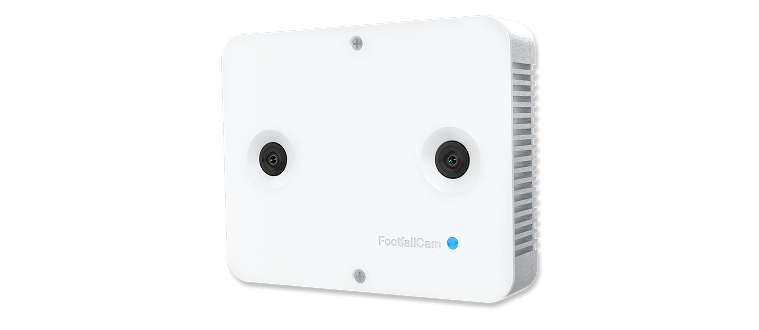
Smart Urban Sensing supplies people-counting systems using technologies including 3D stereoscopic, thermal and infrared sensors, alongside V9 Analytics Software. Ask which sensor and software capabilities match your intended measurement and reporting needs.
Which organisations can use footfall analytics?
Retail teams might compare visitor volumes across periods to help investigate how store activity changes. Transport operators may use passenger counts to understand usage at a location. For outdoor and smart-city applications, counting can help teams examine activity in public spaces. Each setting has different measurement conditions and governance requirements, so suitability depends on the question, environment and data journey, not simply whether a platform is described as cloud-based.
Before progressing, clarify data handling, storage, access and retention with the supplier. To discuss people-counting systems and V9 Analytics Software, contact Smart Urban Sensing or email sales@smarturbansensing.co.uk.
How cloud-based footfall analytics moves from sensor data to usable insight
A useful system starts with a clear operational question, not a dashboard. For example, a retailer might want to understand how visitor volumes vary between weekdays and weekends, whilst a transport operator may be interested in passenger counts at a particular location. The question determines what to measure, where to position equipment and which reports could help inform a decision.
The data journey can be viewed as five steps:
- Define the question: Identify the activity you need to measure and the decision the information may support.
- Capture counts: Select and position a sensor to suit the site and measurement requirement.
- Process data: Establish what is processed on the sensor and what information is transferred onwards.
- Review reports: Use the software platform to examine the data, subject to the functions it provides.
- Decide what to test: Consider whether the findings justify a change or further investigation, then assess the outcome.
From people-counting sensors to a cloud dashboard
The sensor is the source of count data; its presence alone doesn’t establish what information is captured or how it is processed. Smart Urban Sensing describes its people-counting systems as using 3D stereoscopic, thermal and infrared sensing. These technologies and their suitability can vary by product and site, so buyers should match the sensor to the environment and intended measurement rather than assume one approach fits every location.
A cloud platform can provide a way to access and examine data, but the workflow and available functions differ between providers. V9 Analytics Software is part of Smart Urban Sensing’s offering. Before selecting it, confirm which reports, dashboard functions and integrations are available for the specific system you’re considering. Also ask what data leaves the sensor, where it is stored, how long it is retained and who can access it.
Turning reports into operational questions
Counts become more useful when teams interpret them against a defined question. A retail team could review visitor volumes across selected periods; a transport team might examine passenger counts at a stop or facility. In each case, reports can inform further investigation, but they don’t automatically optimise staffing, sales or transport operations. People still need to interpret the results alongside operational context.
Before comparing cloud based footfall analytics platforms, write down the decisions you expect the reporting to inform. Then check that the measurement method, reporting functions and data handling match those requirements. To discuss your needs, contact Smart Urban Sensing about your requirements or email sales@smarturbansensing.co.uk.
Cloud analytics, local reporting or manual counts: how to compare approaches
The right approach depends on how your organisation needs to collect, review and govern footfall data. Cloud based footfall analytics may suit teams that want to examine data through a central software service, but it isn’t automatically cheaper, more secure, faster or more accurate than other methods. Compare the workflow against the decisions you need to make.
| Approach | Access and reporting | Oversight and potential fit |
|---|---|---|
| Cloud analytics | Data is reviewed through a cloud platform. Ask how users access reports and what functions are included. | Check connectivity, access controls, hosting and retention. May suit teams seeking a central way to review data, subject to verified capabilities. |
| Locally managed reporting | Data and reporting are managed within a local setup. Confirm how reports are produced and shared. | Understand the internal technical and administrative oversight required, and whether the setup supports your intended decisions. |
| Manual counting | People record counts directly, then organise and review them using their chosen process. | Consider the staff time and consistency needed to collect and compare counts, and whether this approach answers the questions you have. |
This is a high-level comparison, not a guarantee of how a particular system works. Hosting, connectivity, integrations and data-retention arrangements vary, so confirm each detail with the supplier. Also establish how reports are accessed, who is responsible for oversight and what happens if the chosen process doesn’t meet your operational needs.
When might cloud-based analytics suit an organisation?
A cloud service may be a practical fit if teams need to review footfall data through a shared software platform. First check whether your site’s connectivity and your organisation’s governance requirements are compatible with the proposed setup. If you need access across multiple sites or links to other systems, treat those as supplier questions: don’t assume they’re included.
What should buyers check about privacy and governance?
Ask what the sensor captures, what data is processed, whether personal identification is involved, and what information reaches the platform. Confirm hosting location, access controls, retention arrangements and relevant documentation directly with the supplier. For background on privacy considerations, see our GDPR-compliant people-counting guide.
Use these questions to assess whether an approach fits your environment and governance needs. To discuss your requirements, contact Smart Urban Sensing or email sales@smarturbansensing.co.uk.

How to evaluate a cloud footfall analytics solution before you buy
A structured evaluation helps you compare systems against real requirements, rather than choosing by feature list alone. Start with the measurement question, the environment and the people who will use the results. A retailer seeking to compare visitor volumes across periods, for instance, may need different sensor placement and reporting from an organisation counting activity outdoors.
Use this checklist to guide supplier conversations:
- Measurement question: What activity do you need to count, and which operational decision should the data help inform?
- Environment and sensor: Is the proposed device intended for your indoor or outdoor conditions and the specific counting task? Ask how site layout and activity may affect performance.
- Users and reporting: Who needs access, and which reports, exports and analytics are available in the named software? Ask the supplier to show how a sample report answers one of your actual questions.
- Data governance: What does the sensor capture, what is processed, and what is transferred or stored? Confirm hosting, retention, access arrangements and documentation.
- Implementation: Clarify installation, connectivity and configuration requirements, and which responsibilities sit with your organisation or the provider.
- Ongoing support: Ask what support arrangements are available, how performance is documented, and how issues or system changes are handled.
Questions to ask about sensors and reporting
Ask why the proposed sensor suits your site and whether it measures the activity you need to understand. Request evidence for its expected accuracy in conditions relevant to your environment, and ask what factors can affect results. For V9 Analytics Software, confirm which reports, exports and analytics are available with the specific system under consideration. Don’t assume that every function or integration is included.
Questions to ask about deployment and data management
Before committing, establish what connectivity the system requires, how it will be configured and who is responsible for each implementation task. Ask how user roles and access are managed, what retention options apply, and how data is handled throughout its journey. Clarify how the provider records system performance and communicates any issues or changes, so responsibilities are understood from the outset.
These checks help determine whether cloud based footfall analytics fits your operational and governance requirements. To discuss your needs with Smart Urban Sensing, contact the team about your requirements or email sales@smarturbansensing.co.uk.
How Smart Urban Sensing connects people counting with V9 Analytics Software
Smart Urban Sensing supplies people-counting systems and analytics for retail, transport and outdoor applications. Its offering includes AI 3DPro2 and V9 Analytics Software, which can be considered as parts of a connected hardware-and-reporting solution. The right combination depends on what you need to measure, the conditions at the site and how your team intends to use the results.
Product names alone won’t establish whether a system is suitable. Treat a discussion with a supplier as an opportunity to map your requirements to the proposed sensor and software, then confirm available functions and data arrangements before proceeding.
Matching a people-counting use case to the right system
Different settings raise different measurement questions. A retailer might want to understand visitor volumes at an entrance; a transport operator may need passenger counts at a particular location; an outdoor project could focus on activity through an open space. These examples call for careful consideration of where and how counting takes place.
Sensor selection should reflect the location, environment and required count data. Smart Urban Sensing describes its systems as using 3D stereoscopic, thermal and infrared sensing, but that doesn’t mean every sensor or product suits every deployment. Ask why the proposed hardware is appropriate for your site and what conditions could affect its results. If accuracy is discussed, request evidence relevant to the specific product and environment rather than treating a general figure as a guaranteed outcome.
What to discuss with Smart Urban Sensing
Bring a concise outline of your use case to the conversation. Include the site type, the activity you need to count, who will use the reports and what decisions the information is intended to support. This helps focus the discussion on practical fit rather than features you may not need.
For V9 Analytics Software, ask which reporting and analysis functions are available for the proposed system, and whether any integrations you require are supported. Confirm how data is processed, transmitted and stored, including hosting arrangements, retention and user access. These details matter when assessing cloud based footfall analytics, and should be verified directly rather than assumed from the platform description.
To discuss a cloud footfall analytics requirement with Smart Urban Sensing, contact the team about your requirements or email sales@smarturbansensing.co.uk.
Choose a system that turns counts into considered decisions
The strongest cloud based footfall analytics choice starts with a clear measurement question. Match the sensor to the site and counting task, then check how data is processed, accessed, stored and reported. Cloud, locally managed and manual approaches each have different workflows and oversight needs, so compare them against your organisation’s operational and governance requirements.
Smart Urban Sensing supplies people-counting solutions for retail, transport and outdoor applications, with offerings including AI 3DPro2 and V9 Analytics Software. Its listed sensing technologies include 3D stereoscopic, thermal and infrared. Ask which hardware and software capabilities fit your use case, and verify relevant reporting, integrations and data arrangements directly with the supplier.
Ready to explore a system for your site? Discuss your footfall analytics requirements with Smart Urban Sensing, or email sales@smarturbansensing.co.uk. With the right questions in hand, you can move towards clearer insight with confidence.
Frequently Asked Questions
What is cloud-based footfall analytics?
Cloud-based footfall analytics uses people-counting data and software to present organised reports and insights through a cloud platform. A count shows how many people passed a point or entered a space; analysis helps teams examine patterns and consider operational questions. The sensor, processing steps, platform features and data arrangements vary by provider, so check how a proposed system works rather than relying on the term “cloud-based”.
How does cloud-based footfall analytics work?
It typically starts with a sensor capturing people-counting data, which is then processed and made available through an analytics platform. Users can review reports and consider what action or further investigation may be appropriate. Sensor technologies and data flows differ between systems. Ask what the sensor captures, what processing happens on the device, what information is transferred and which reporting functions are available in the proposed software.
Is cloud-based footfall analytics GDPR compliant?
It isn’t possible to confirm GDPR compliance from the use of a cloud platform alone. The answer depends on the system’s data practices and how it’s configured and used. Ask the supplier what information is collected, whether individuals can be identified, where data is hosted, how long it’s retained and who can access it. Review the supplier’s documentation and seek appropriate advice for your organisation’s circumstances.
What is the difference between cloud and local footfall analytics?
Cloud analytics makes data available through a cloud-based software service, whilst locally managed reporting keeps the reporting workflow within a local setup. The practical differences concern access, connectivity, data handling and the oversight each approach requires. Neither is automatically more secure, accurate or suitable. Compare how reports are produced and accessed, and confirm hosting, retention, integrations and responsibilities with each supplier.
Can cloud-based footfall analytics work for outdoor spaces?
Yes, it can be used for outdoor counting if the selected sensor and system are suitable for the location and measurement task. Site conditions and the activity being counted should inform hardware selection; one sensor won’t necessarily suit every deployment. Ask the supplier how the proposed equipment performs in your specific environment, what conditions may affect results and how data is transferred to and accessed through the platform.
What should I ask a footfall analytics provider before choosing a system?
Start with what you need to measure and what decisions the data should inform. Ask which sensor suits the site, what reports and integrations are available, and what data is captured, processed, stored and retained. Clarify connectivity, implementation and support responsibilities, user access and evidence of performance in relevant conditions. To discuss your requirements, contact Smart Urban Sensing or email sales@smarturbansensing.co.uk.
Does cloud-based footfall analytics identify individual visitors?
Not necessarily; people-counting systems can be designed to report counts without identifying individual visitors, but data practices vary by system. Don’t assume anonymity from the product category or cloud setup. Ask whether the sensor captures images or other identifying information, what is processed on the device, what reaches the platform and whether any identifying data is stored. Check the supplier’s documentation to understand the specific system.
Retail and shopping centres
Find out what your entrance data should be telling you
In 20 minutes we review your entrances, current counting setup and conversion questions, then tell you what accurate footfall data would change. No obligation, no hard sell.