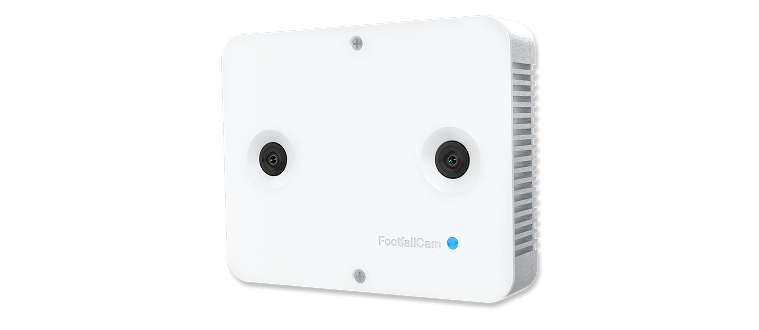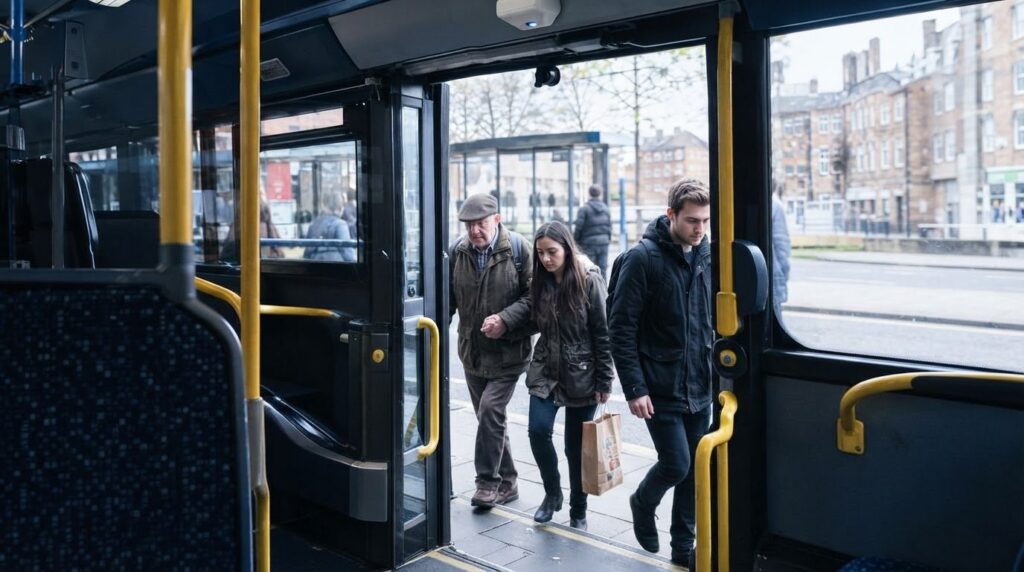
The common footfall counting mistakes to avoid include obstructed or misaligned sensor paths, occupancy counts that drift over time, and readings affected by lighting or congestion. Busy entrances can also lead to missed counts when people walk side by side, while manual checks may give a misleading picture if they don’t reflect typical traffic.
It is easy to assume a counter will capture every crossing once installed, whether it monitors an indoor entrance or an outdoor route. In practice, sensor position, the surrounding space and people’s movement all affect the data. Small issues can accumulate and leave you with an unreliable picture of visitor numbers.
This guide explains how to identify and prevent these errors. Learn what to check in sensor coverage, occupancy totals, changing conditions, crowded entrances and side-by-side traffic, and how manual tallies can help assess a count. The aim is to make footfall data more dependable for decisions about staffing, space and movement.
Key Takeaways
- Keep sensor paths clear and correctly aligned so displays, doors or other obstacles don’t interfere with detection.
- Small counting errors can accumulate in occupancy totals, so reliable monitoring needs to account for both entries and exits.
- Changing light and congested entrances can affect camera counts; consider how conditions vary across the day and seasons.
- Check whether a counting system can distinguish people walking together, and validate its readings during representative busy periods.
- For help matching a counting solution to your space, contact Smart Urban Sensing Ltd or email sales@smarturbansensing.co.uk.
1. Preventing miscounts with clear sensor paths
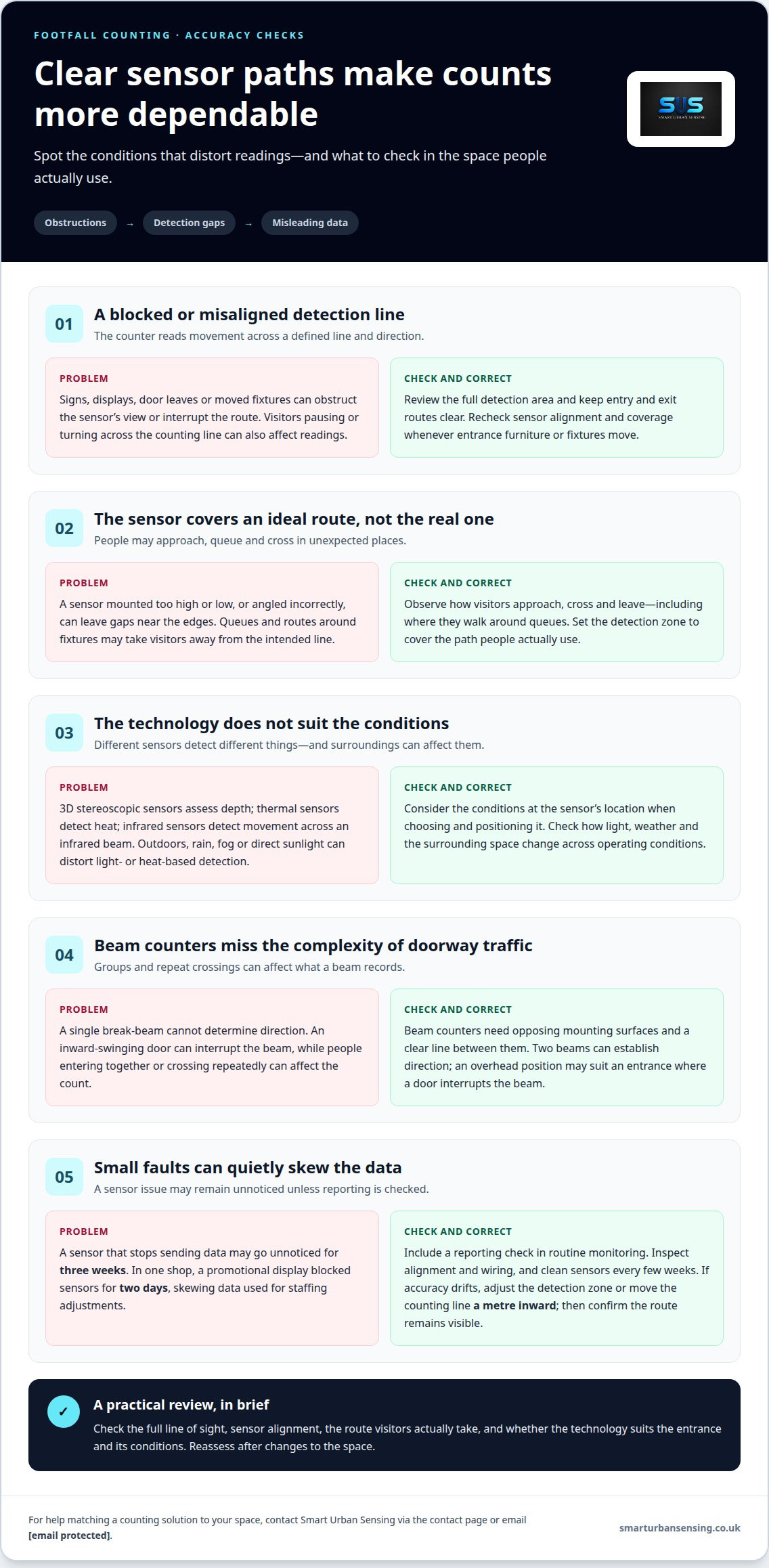
Accurate footfall data starts with an unobstructed route through the sensor’s detection area. A counter records movement across a defined line and direction, so signs, displays or door leaves can interfere with readings. For example, a promotional stand beside an entrance may cause visitors to pause or turn across the counting line. Overlooking a changed route after rearranging a shop is one of the common footfall counting mistakes to avoid.
Review the full area covered by the sensor, not just the device itself. A new display can obstruct part of its view, while shifting paired sensors can disrupt their alignment. Keep entry and exit routes clear, and reassess the detection zone whenever fixtures or entrance furniture move. Check whether people cross the intended line or take a route around it.
Mounting height and field of view must suit the entrance. A sensor positioned too high or low, or angled incorrectly, can leave gaps near the edges of the route. During setup, observe how visitors approach, cross and leave, including where they walk around queues. The goal is to cover the path people actually use, not an idealised line they rarely follow.
Sensor technology also affects detection. 3D stereoscopic sensors assess depth, thermal sensors detect heat, and infrared sensors detect movement across an infrared beam. Outdoors, rain, fog or direct sunlight can distort light- or heat-based detection. The common footfall counting mistakes to avoid therefore include choosing or positioning a sensor without considering the conditions at its location.
Infrared beam counters need opposing mounting surfaces and a clear line between them. An inward-swinging door can interrupt the beam, so an overhead position may better suit the entrance. A single break-beam cannot determine direction; two beams can establish it. Groups entering together or visitors crossing repeatedly can still affect the count, so assess actual movement through the doorway.
Silent failures can leave gaps in reporting. A sensor that stops sending data may go unnoticed for three weeks. Include a reporting check in routine monitoring, inspect alignment and wiring, and clean sensors every few weeks. For UK CCTV and footfall counting, UK GDPR may apply where identifiable personal data is processed. Privacy-first systems can process images on-device and send event data, rather than video, from the sensor.
Before relying on a count, check the full line of sight between the sensors and the route people take. Displays, signs or other objects can obstruct people-counting sensors, causing miscounts or missed detections. Beam footfall counters need two opposing mounting surfaces and a clear line between them; infrared footfall sensors count people as they break an infrared beam. An obstruction can therefore affect the reading, not just the entrance’s appearance.
A promotional display blocked a shop’s people-counting sensors for two days, skewing the data used for staffing adjustments. Beam counters can miscount when multiple people enter a shop together or when someone lingers and crosses the beam repeatedly, so consider these patterns when reviewing counts. Where accuracy drifts, adjust the detection zone or move the counting line a metre inward. After a change, check that the route people use remains visible to the sensors.
2. Accumulating errors in occupancy counts
Occupancy is the estimated number of people inside a space at a particular time. A counting system usually updates the figure by adding detected entries and subtracting detected exits. If an exit goes unrecorded, the displayed total remains too high until corrected. Repeated misses can widen the gap over a trading day, even when individual footfall readings seem plausible.
Errors can also push occupancy too low. A missed entry understates the total, while a false exit reduces it further. During installation, test entry and exit routes separately, then compare the running total with a direct count. A retail entrance, side door or emergency exit can each affect the result if people use it but the system does not register them.
A naive correction resets occupancy to an assumed starting value without reconciling what happened beforehand. This can hide accumulated errors rather than resolve them. A stronger process reviews entry and exit events, identifies a clear reference point and records any manual adjustment. For example, an authorised staff count can reset the displayed total, with the adjustment time logged for later interpretation. A reset does not prove earlier footfall data was accurate.
Occupancy monitoring is most useful when the figure is considered alongside its time and context. A live dashboard or alert can help premises managers respond when a defined threshold is exceeded. But a drifting total may trigger an alert too early or too late. Check whether the count moves back towards its expected level after people leave, and investigate sudden jumps that do not match observed traffic.
Cleaning and heating, ventilation and air conditioning (HVAC) planning can also rely on occupancy data. If a building appears emptier than it is, cleaning teams may underestimate use in busy areas; an inflated count can send effort elsewhere unnecessarily. HVAC controls informed by occupancy can also respond poorly to persistent errors. Compare patterns with opening periods, room use and staff observations before changing schedules.
Footfall, staff and repeat visits need different treatment from occupancy. Some overhead counters can filter out staff wearing a special name tag. A returning visitor should still count as a new visit when crossing the entrance again. Occupancy should change only when someone enters or leaves, not according to whether they have visited before.
If occupancy errors are affecting operational decisions, discuss occupancy monitoring or email sales@smarturbansensing.co.uk.
3. Camera-counter errors caused by lighting and congestion
A camera counter analyses changes in an image to detect people crossing its field of view. Strong backlighting from sunlight or overhead reflections can reduce contrast between visitors and their surroundings, leading to higher or lower footfall totals. For example, a bright glass entrance can cast hard-edged shadows across the counting zone, making some movements harder to interpret.
Lighting can change throughout the day even when the camera stays fixed. Low winter sun through a glass façade may create sharp morning shadows, while overhead lighting or reflections affect the same entrance later. A counter that performs well in even light may therefore produce different readings at other times. Review when and where discrepancies occur instead of relying on one quiet-period observation.
Weather adds another variable for outdoor devices. Rain, fog and direct sunlight can affect light- or heat-based counters, and thermal cameras can also struggle in direct sunlight. Queues and busy periods matter too: outdoor conditions may interfere with detection, while people close together and crossing paths can be misread as fewer or more movements.
Queues change how people move through a camera’s detection area. Visitors may pause, turn back, enter in a cluster or cross behind someone else. At a busy entrance, overlapping movements can make it harder to distinguish separate crossings. A queue reaching the sensor zone can also create repeated movement in the same area, making it harder to distinguish passing through from lingering.
Use the dashboard to identify when counts diverge from observed traffic. Compare busy and quiet periods, then look for patterns linked to sunlight, displays, queue positions or weather. If errors occur at a particular time, note the lighting and movement conditions. A promotional display that changes sightlines, for instance, may explain a shift after a shop-floor rearrangement.
Start by observing the entrance under contrasting conditions, such as bright sunlight and a crowded period. Check that the camera covers the full crossing area and that queues or displays do not obstruct movement. Compare readings with a manual observation under each condition. If counts repeatedly differ in one area, adjust the detection zone or camera position, then reassess the same movement.
For help assessing how lighting and traffic affect a counting setup, contact the footfall counting team or email sales@smarturbansensing.co.uk.
4. Crowded entrances and people walking side by side
Crowded entrances challenge a counter’s ability to distinguish individual visitors. A single-beam break-beam counter cannot tell whether two people cross shoulder to shoulder, so it may record one. Beam counters may also count a group entering together as one. During a busy shopping period, the recorded footfall can therefore be lower than the actual number of people entering stores.
Families create a similar test. An adult walking beside a child may appear as one combined movement to a sensor that cannot separate nearby bodies. Colleagues arriving together or shoppers carrying large bags can pose similar challenges. To assess performance, observe the entrance during a busy period and compare the counter’s output with people crossing together and individually.
Double-counting can happen when visitors pause, turn or cross the detection area repeatedly. Set a defined counting line across the natural route, not where people browse or queue. Check whether someone can cross the line, turn back and trigger another count without entering or leaving. Adjusting the detection zone can help distinguish a completed crossing from movement around the threshold.
Entrances and exits need clear direction logic, especially when people use the same opening both ways. A directionless break-beam can register a crossing without showing whether someone entered or left. Two beams can establish direction from the order in which they are interrupted. If separate doors serve entry and exit, configure and interpret each route accordingly. Otherwise, missed exits can inflate occupancy while missed entries understate visits.
Queues can blur these patterns. Someone leaving may pass beside a person coming in, while another visitor pauses at the doorway. If the sensor treats overlapping movements as one event, entry and exit totals may both be wrong. Centre the counting area on the actual crossing route, and avoid placing promotional displays or queue barriers where they redirect visitors across it.
Test the entrance under different flows: one person at a time, two people side by side, a group, and people moving in opposite directions. Compare observed crossings with the system’s recorded direction and total. Repeat the test during busy periods, since a quiet entrance will not show whether the counter separates close or overlapping movements.
These limitations matter most when several people reach an entrance together. If a sensor merges shoulder-to-shoulder walkers or an adult and child into one movement, the count may fall short of the number who crossed. That gap does not necessarily mean fewer visitors arrived; it may reflect the sensor’s difficulty separating nearby bodies.
Groups create the same risk for beam counters, which may register several people as one event. At a very busy entrance, repeated group crossings can lower the overall count. Bear this in mind when interpreting readings, particularly when visitors arrive in clusters. A count that seems consistent during isolated crossings may not be equally accurate when people move close together. The key question is whether the system registers individuals, not merely movement across the entrance.
5. Manual tally checks after installation
A manual tally gives an installed counter a real-world reference. One observer records each person crossing while the system logs the same movements. Keep the observation period, entrance and direction consistent; otherwise, differences in route or timing can make the comparison misleading. A manual check can reveal missed crossings, double counts or a mounting position that does not suit the layout. Treating a short spot-check as a complete test is one of the common footfall counting mistakes to avoid.
Manual counting is straightforward and can help explain unusual readings, but someone must watch and record each visitor. Attention can lapse during busy periods, and continuous tallies across several entrances are demanding. Sensors can record continuously, but their readings still depend on placement, detection conditions and visitor movement. Use manual observation as a practical comparison, not a substitute for ongoing system monitoring.
Retail footfall counters can achieve 98 to 99% accuracy under good conditions, including suitable mounting, adequate lighting and ordinary visitor behaviour. Test after installation by comparing the system with a manual tally of at least 200 crossing events during a busy period. Relying on only 20 crossings during a quiet period may not expose errors involving queues or groups. Another common footfall counting mistake to avoid is assuming a quiet test represents normal trading.
Synchronise the tally with the counter’s reporting period. Record entries and exits separately, noting events such as groups arriving together or someone turning back. Compare manual and system totals for each direction, then investigate discrepancies. If a mismatch occurs at one entrance, review that sensor’s mounting and detection zone before changing the wider installation. Record test conditions so later checks can be compared.
Keep data checks traceable. Mark periods when a device stops reporting, is serviced or produces an implausible jump; never silently treat missing readings as zero. Preserve original figures alongside corrected values, with the reason and time of each adjustment. Clear records help distinguish technical issues from genuine changes in visitor activity and make later reporting easier to interpret.
Interpret footfall alongside the measure it is meant to inform. For example, compare visitor counts with sales over matching periods to assess changes in conversion rate. A rise in recorded visits alongside lower conversion raises different questions from a fall in both measures. Note opening periods and layout changes to give comparisons context.
For support with installation checks and footfall reporting, contact the counting team or email sales@smarturbansensing.co.uk.
Smart Urban Sensing
Smart Urban Sensing Ltd provides people-counting systems for retail, transport and outdoor environments, with privacy-first, GDPR-compliant technology. When counts are affected by layouts, busy entrances or changing conditions, begin by identifying the movement you need to measure and the decisions the data should support.
Its offering includes AI 3DPro1, AI 3DPro2, AI 3D APC and Retail Starter Kits. These options provide a starting point for discussions about counting requirements, from monitoring visitor flow to reviewing how a system fits a retail environment. Smart Urban Sensing Ltd can help you consider the appropriate solution for your counting needs.
To discuss your footfall counting requirements, contact Smart Urban Sensing Ltd or email sales@smarturbansensing.co.uk.
Make your footfall data more useful
Reliable footfall measurement is not just about recording crossings. It means building a consistent basis for decisions and noticing when changes in the space or visitor behaviour affect that basis. Common footfall counting mistakes are easier to manage when performance is treated as an ongoing operational task, not a one-off installation.
Review whether your current figures support the decisions you need to make, or discuss a counting system for a new space. Smart Urban Sensing can help you assess your requirements and choose an approach suited to your environment. Contact the team to discuss your footfall analytics needs.
Book a free 20-minute footfall review to discuss your footfall counting needs, or email sales@smarturbansensing.co.uk. A clearer measurement process can give your next decisions a stronger foundation.
Frequently Asked Questions
What are the most common mistakes when counting footfall?
Common errors include treating every sensor event as a unique visitor and comparing totals collected over different periods. A daily total ending at closing time, for example, cannot be meaningfully compared with one that includes late-night activity. Check that reports use consistent opening hours, entrances and counting definitions. Review unusual peaks against trading activity before interpreting them as changes in customer demand.
How should footfall counting devices be positioned and maintained?
Position each device to measure the route relevant to your reporting, and record its mounting details and intended coverage. Keep a maintenance log of cleaning, inspections, faults and changes to the surrounding layout. Reviewing the latest reporting time can reveal a device that has stopped sending data. For help with your counting setup, contact Smart Urban Sensing or email sales@smarturbansensing.co.uk.
Retail and shopping centres
Find out what your entrance data should be telling you
In 20 minutes we review your entrances, current counting setup and conversion questions, then tell you what accurate footfall data would change. No obligation, no hard sell.